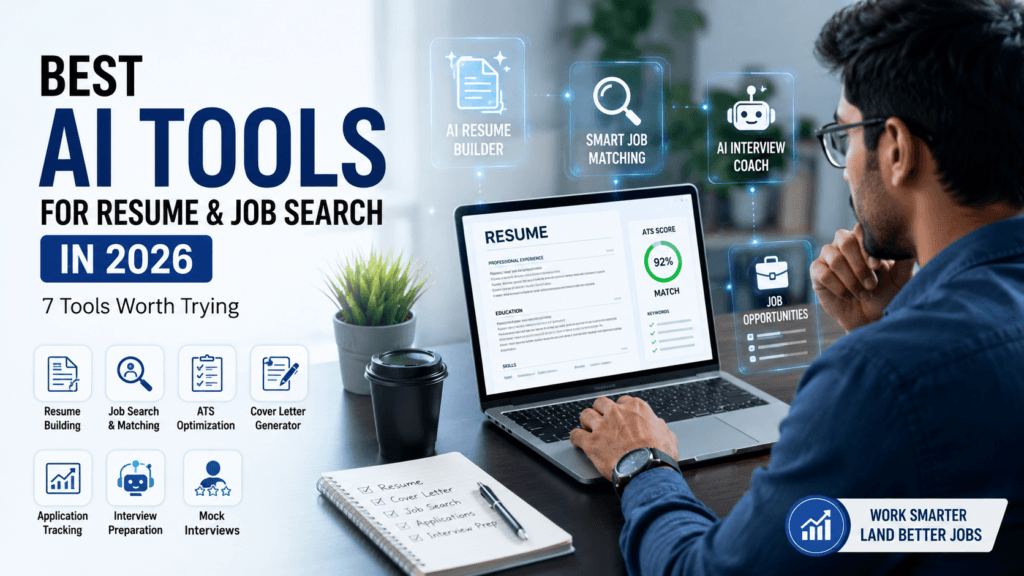
Best AI Tools for Resume & Job Search in 2026: 7 Tools Worth Trying
Finding a job is hard enough.
Then you have to make a resume.
Then you find another job that needs slightly different skills.
Then you rewrite the resume.
Then there’s the cover letter, LinkedIn profile, applications, interview preparation and somehow keeping track of where you actually applied.
This is where AI can genuinely help.
But there’s a problem: there are hundreds of AI-powered career tools now, and not all of them are worth paying for.
So instead of giving you a giant list of tools that all do roughly the same thing, we’ve focused on different parts of the job-search process.
Some help you improve your resume. Some help with ATS checking. Others help you organize applications or prepare for interviews.
Let’s see which ones are actually useful.
## 1. ChatGPT — Best All-Round Job Search Assistant
You don’t necessarily need a dedicated resume AI to get started.
A general AI assistant can already help with several parts of your job search.
For example, give it your actual resume and a job description and ask:
“Compare my resume with this job description. Identify relevant experience I already have, point out gaps, and suggest improvements without inventing any skills or experience.”
That’s much better than simply asking AI to “make my resume professional.”
You can also use it for:
– Resume bullet improvements
– Job-description analysis
– Cover-letter drafts
– Interview questions
– Mock interviews
– Career brainstorming
### One rule matters
Never let AI invent qualifications you don’t have.
If you haven’t worked with a particular technology, don’t add it just because an AI tool thinks it would improve your ATS score.
Your resume should present your real experience better — not create fictional experience.
Best for: Almost every stage of the job search.
Free? A free version is available, with usage limits that can change.
## 2. Jobscan — Best for Checking Resume-to-Job Match
You may have a good resume and still wonder:
“Why am I not getting interviews?”
One possible issue is how closely your resume matches the job you’re applying for.
Jobscan is built specifically around this problem.
You can compare your resume against a job description and identify areas where your application may not align well with the position.
This makes it different from a general AI writing assistant.
Instead of asking:
“Make my resume better.”
You’re asking a more useful question:
“How well does this resume fit this particular job?”
Jobscan also offers other career-related features, but its ATS/job-match analysis is the part most relevant here.
Best for: ATS-focused resume checking and job-specific optimization.
Free? Limited access is available; paid plans provide more features and usage.
Worth considering if: You already have a resume and want to optimize it for specific jobs.
## 3. Teal — Best for Organizing Your Job Search
Here’s a problem that doesn’t get enough attention.
You apply to five jobs.
Then ten.
Then twenty.
A few weeks later, you can’t remember:
– Which company replied
– Which job you applied for
– What version of your resume you used
– When you should follow up
Teal approaches the problem differently by combining job-search organization with resume-related tools.
You can use it to track opportunities, organize applications and tailor your resume around specific roles.
That’s particularly useful if you’re actively applying to multiple positions.
Best for: Job tracking and resume tailoring.
Free? A free option is available, with additional features in paid plans.
Worth considering if: Your biggest job-search problem is staying organized.
## 4. Kickresume — Best for Building a Resume Quickly
Sometimes you know what you’ve done.
You just don’t know how to turn it into a decent-looking resume.
That’s where a dedicated resume builder can be useful.
Kickresume combines resume templates with AI-assisted writing features, helping you create a structured resume without starting with a completely blank page.
It’s particularly useful if you’re creating your first professional resume or want to rebuild an outdated one.
But don’t choose a template simply because it looks impressive.
For many jobs, simple and readable beats flashy.
Best for: Creating and formatting a professional resume quickly.
Free? A free option is available, with additional features under paid plans.
Worth considering if: Formatting is taking you longer than writing the actual content.
## 5. Rezi — Best for ATS-Focused Resume Building
Rezi takes a more specialized approach to resume creation.
Its focus is on structured, ATS-friendly resumes and tailoring applications toward specific roles.
This can be useful when you’re applying for corporate, technical or professional positions where your resume needs to communicate relevant experience clearly.
The important thing is not to obsess over an “ATS score.”
A high score doesn’t guarantee an interview.
The resume still needs to make sense to an actual recruiter.
Best for: ATS-oriented resume building and customization.
Free? A free option is available, with additional features in paid plans.
Worth considering if: You want a dedicated resume platform rather than a general AI chatbot.
## 6. Canva — Best for Resume Design
Not every resume needs a fancy design.
In fact, for many traditional corporate roles, keeping things simple is probably the safer choice.
But Canva can still be useful if you need a clean visual resume, particularly for creative roles, portfolios or situations where presentation matters.
You can choose a template and customize it without needing design experience.
Just remember:
A beautiful resume isn’t automatically a good resume.
Make sure your information remains easy to read and relevant to the role.
Best for: Resume design, creative roles and visual portfolios.
Free? Yes, with premium features available.
Worth considering if: Visual presentation matters in your target industry.
## 7. ChatGPT + Mock Interviews — Best Free Starting Point for Interview Practice
Getting your resume noticed is only half the battle.
Eventually, you may hear:
“Tell me about yourself.”
And that’s when preparation suddenly matters.
You can use ChatGPT to simulate an interview based on the job description.
Try this:
“Act as the hiring manager for this position. Ask me one interview question at a time. After each answer, give me concise feedback and then ask the next question.”
You can practice:
– HR interviews
– Behavioral questions
– Role-specific questions
– “Tell me about yourself”
– Strengths and weaknesses
– Situational questions
The advantage is simple: you can practice as many times as you want without feeling awkward about asking someone else to interview you again.
Best for: Interview preparation and practice.
Free? ChatGPT has a free version, subject to current limits.
## Which One Should You Choose?
Don’t subscribe to everything.
Start with the problem you’re actually facing.
Your biggest problem | Tool to consider
Improving your overall job application | ChatGPT
Matching your resume to a job | Jobscan
Tracking multiple applications | Teal
Creating a resume quickly | Kickresume
ATS-focused resume building | Rezi
Designing a visual resume | Canva
Interview practice | ChatGPT
## The Job Search Workflow I’d Actually Recommend
You don’t need seven tools.
A simple workflow is enough.
### Step 1: Build your base resume
Start with your real experience, skills, education and achievements.
### Step 2: Find relevant jobs
Don’t apply to every job just because the title looks familiar.
Read the requirements.
### Step 3: Tailor the resume
Use the job description to identify the skills and experience that genuinely match your background.
### Step 4: Check it
If the role is competitive, use an ATS-focused tool to identify obvious gaps or formatting problems.
### Step 5: Apply
Submit the version that actually matches that particular role.
### Step 6: Track it
Record:
Company → Role → Date Applied → Resume Version → Status → Next Action
### Step 7: Prepare
Once there’s a possibility of an interview, use AI to practice questions based on that specific role.
## What You Should NOT Ask AI to Do
There’s a temptation to let AI do everything.
Don’t.
Avoid asking AI to:
– Invent work experience
– Add skills you don’t have
– Create fake achievements
– Make up certifications
– Automatically apply to hundreds of irrelevant jobs
– Turn every sentence into corporate-sounding nonsense
Instead, use AI to make your real experience easier to understand and more relevant.
That’s the difference between using AI intelligently and simply generating more text.
## Our Recommended Setup
If you’re starting your job search today and don’t want to spend money immediately, I’d keep it simple.
### Start with ChatGPT
Use it for resume tailoring, job-description analysis and interview practice.
### Add Jobscan when ATS checking matters
Especially when you’re applying for a specific competitive role.
### Add Teal if applications start becoming difficult to manage
That’s when tracking becomes genuinely useful.
Then consider a dedicated resume builder such as Kickresume or Rezi if you need one.
You don’t need a paid subscription to every tool on this list.
## Final Verdict
The best AI job-search tool isn’t the one that promises to magically get you hired.
There isn’t a button that turns an average application into a job offer.
The real advantage is using AI to make anaging lots of applications.Discover the best AI tools for resumes and job search in 2026, including tools for ATS optimization, applications, resume building and interview preparation.
Kickresume and Rezi are useful when you want dedicated resume-building tools.
And Canva makes sense when visual presentation is important.
If you’re job hunting right now, don’t start by installing seven apps.
Start with your resume.
Find a real job you’re interested in.
Then use AI to make that one application better.
ow that works, scale it.
### Affiliate Disclosure
Some links on GoEarnWithAI may be affiliate links. If you purchase or sign up through an eligible link, we may earn a commission at no additional cost to you. This does not change our recommendations. We aim to recommend tools based on usefulness, features and value for the reader.